robot_properties_fingers.trifingerpro_ik module
TriFingerPro Inverse Kinematics.
Direct, analytic inverse kinematics solution for the TriFingerPro, see
trifingerpro_ik().
Below is the description of the math used in the functions.
Solution for finger0
See Coordinate Frame and Joint Axes for the joint order, rotation axes and zero-configuration of the robot.
The world coordinate frame has its origin in the center at the ground. The first finger (“finger0”) is aligned with the y-axis, the other two are rotated by 120° and 240° around the z-axes:
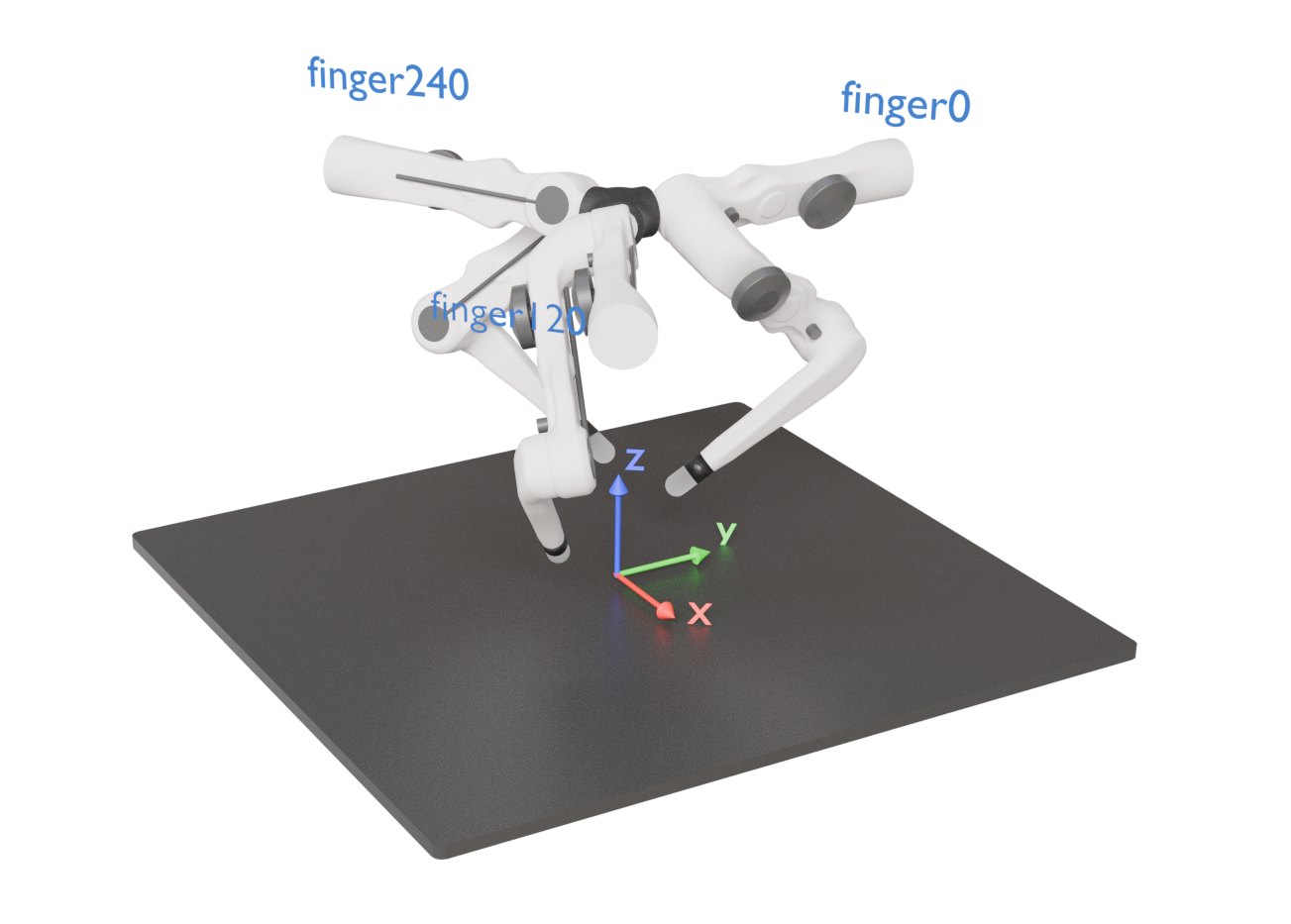
Upper joint q0
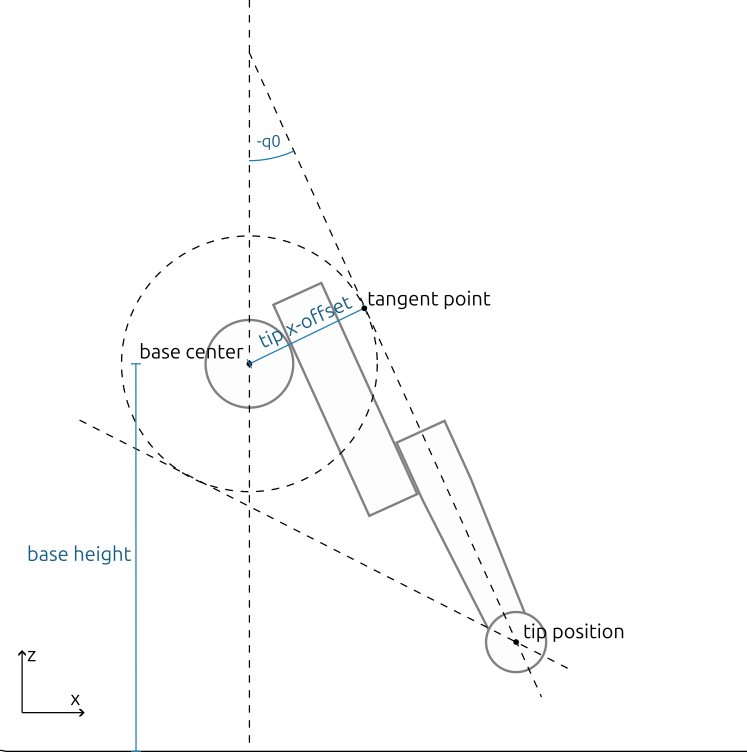
The upper joint is rotating around the y-axis, so for finding its angle, it is enough to
look at the xz-plane. In zero-configuration, the tip is offset from the base in
x-direction by TIP_X_OFFSET. So for finding the angular joint position q0, we draw
a circle with radius TIP_X_OFFSET around the base center (which is the point of
rotation) and find the tangent to that circle that goes through the finger tip. The
angle between this tangent and the z-axis directly gives the joint angle q0.
Note that there are two tangents, so we have to determine which one is the right one. This is done by checking the angle between the tip-to-base and tip-to-tangent-point vectors. For the correct tangent, this angle has to be negative.
The other two joints only affect the position of the finger tip on the tangent line, so
q0 is independent of them.
Middle joint q1
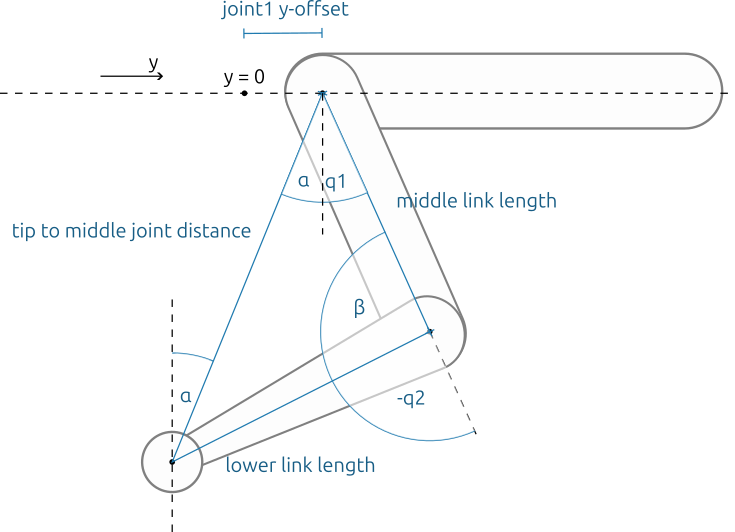
To compute q1, we project the tip position, middle joint and lower joint onto the yz-plane rotated by q0 (basically flattening the robot along the x-axis in zero-configuration). This plane is referred to as “tangent plane” in the code, because plane is orthogonal to the xz-plane and parallel with the tangent computed above.
On this plane, we can compute the distance between the finger tip and the middle joint
(joint 1). Together with the known lengths of the middle and lower link, we get a
triangle where the lengths of all three sides is known. We can easily compute the
angles alpha + q1 and beta of it.
Now we only need to find alpha to know q1. We get it by rotating the
tip-to-joint1 vector from the tangent plane by -q0 to align with the xz-plane and
then compute the angle between z-axis and the rotated tip-to-joint1 vector.
Lower joint q2
Using the triangle from above, we can easily compute beta. Then q2 = beta -
180°.
Solution for finger120 and finger240
Since the other fingers are simply rotated around the center by 120° and 240° with respect to finger0, we can rotate the desired tip positions for these fingers in the opposite direction and then simply use the same function as for finger0 to compute the joint angles.